Launch plans, interns, and why I built Konstruct
At Amazon I used to host interns fairly regularly. One thing that consistently surprised managers — including me, the first time I saw it — was how often they actually shipped something before their summer ended. Not a toy branch that never merged. Not “I learned a lot.” Something real, in production — for internal systems or external customers.
The pattern wasn’t that I hired superhuman interns (though many were excellent). It was that we gave them a launch plan.
Not a vague “go fix bugs” mandate. A concrete packet of context: what exists today, what we’re trying to build and why, who to talk to, which wiki pages to read, how deployments work, and what “done” looks like. Documentation lived on the internal wiki; coordination happened over email.
Amazon’s tooling met us halfway. Brazil gave everyone a consistent interface for building software — check out a package, build it, run tests — without spending the first two weeks installing toolchains or hunting for the one true README. Apollo let them deploy through a standard pipeline without needing to know anything about being a systems administrator. The launch plan pointed at the right packages and people; Brazil and Apollo made it possible to act on that plan on day one.
On top of that: scoped permissions, staging environments, feature flags, code review expectations, and guardrails so they couldn’t accidentally route 100% of traffic to a binary that printed “hello world.”
With that in place, people hit the ground running. Without it, even strong engineers spent weeks reconstructing history from stale wiki pages and buried email threads.
The same problem, different worker
I’ve been thinking about that a lot while building Konstruct.
AI coding assistants are increasingly capable. They can read files, propose diffs, run commands, and bluff convincingly when they’re lost. What they often don’t have is the thing we used to provide to interns: structured situational awareness plus a sanctioned way to verify their work.
Throw an agent at a large codebase with nothing but “add metrics to the checkout flow” and you get one of three outcomes:
- It hallucinates package names and files that don’t exist.
- It finds something plausible, edits it, and runs shell commands you didn’t mean to approve.
- Or the more frightening third path: it deletes every file on your computer, or your production database. That isn’t hypothetical — last month a Cursor agent wiped a company’s entire production database and backups in nine seconds.
All three failure modes feel familiar. The first two are what happens when a smart person starts on day one without a map. The third is what happens when they have a map but no guardrails.
The more I worked with agents, the clearer it became: the more structured guidance you give them, the more effective they are. Better shape — ideas captured with intent, designs with boundaries, plans with ordered steps, and execution environments where “run the tests” doesn’t mean “run whatever.”
That was the aha moment that turned into Konstruct.
Smarter context, Not longer prompts
Konstruct’s workflow mirrors how good teams already ship software, just made explicit for humans and assistants working together.
flowchart LR
  Idea["Ideation"]
  Design["Design"]
  Plan["Plan"]
  Build["Build"]
  Idea --> Design --> Plan --> Build
Ideation is where you capture goals, constraints, and rough ideas in one place — so you’re not starting from a blank chat window that forgets what you cared about yesterday.
Design turns fuzzy intent into something reviewable: flows, boundaries, tradeoffs. You argue about architecture before someone (human or model) burns tokens implementing the wrong thing.
Plan breaks the design into ordered, specific steps. This is the spiritual descendant of the intern launch packet: what’s already there, what we’re building, what to verify along the way, which questions still need answers.
Build executes against that plan, grounded in the design instead of improvising from vibes.
Konstruct isn’t trying to replace engineers. It’s trying to turn more of the job into reviewing work — steering, refining, approving — rather than typing every line yourself while hoping the model didn’t misunderstand “refactor” as “delete.”
Context that isn’t just grep
A launch plan always included “here’s how the system fits together.” For agents, that’s the code graph: structure-aware indexing and semantic search across your repos so assistants aren’t guessing symbol names from last week’s chat.
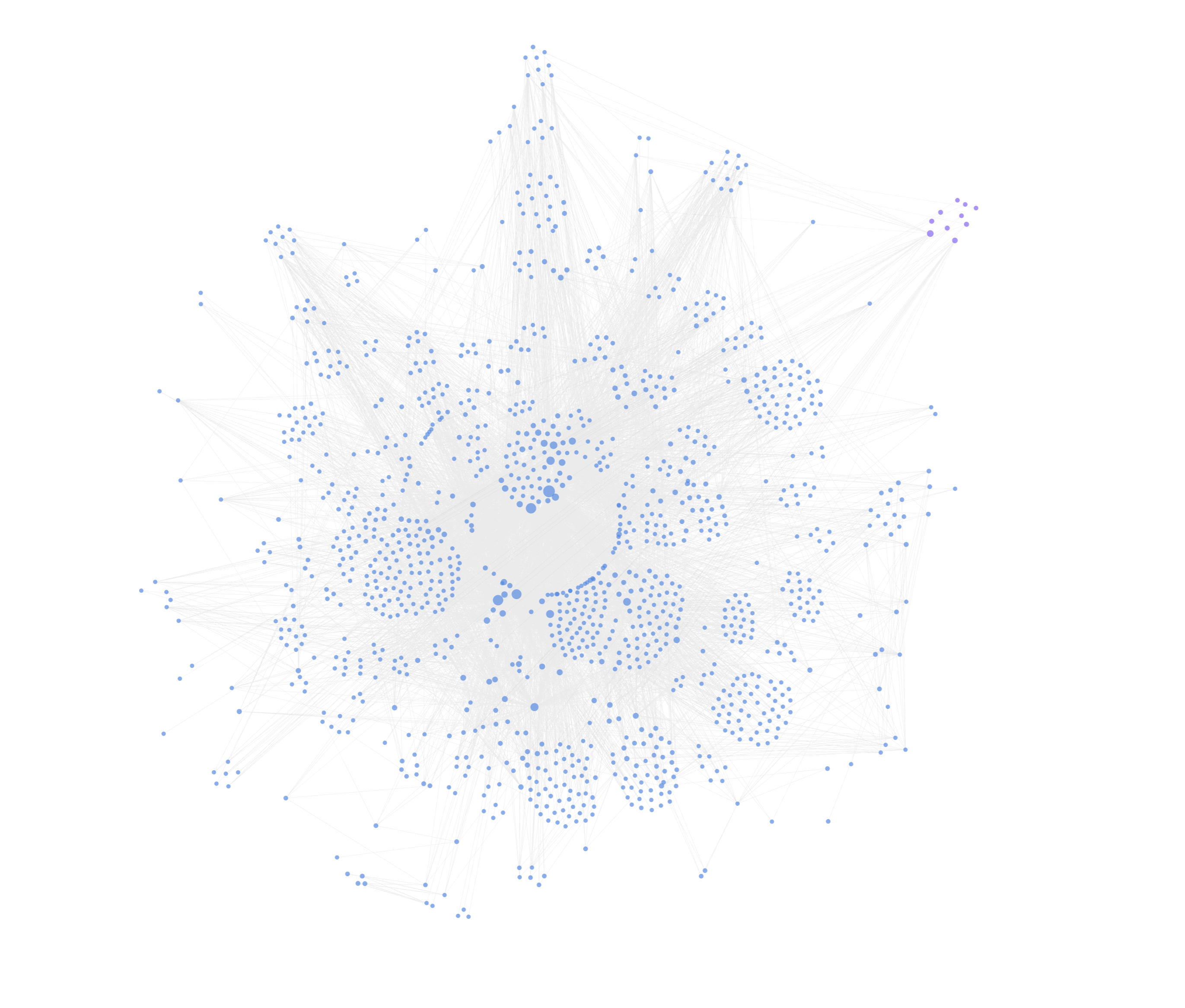
Code search finds strings. The graph answers structural questions — who imports what, who calls whom, what breaks if you touch a shared interface. Konstruct exposes that through one main tool, traverse_graph, plus a small helper (find_symbol), with optional graph hints on search.
Instead of a pile of overlapping graph utilities, agents get a single TraverseGraph entry point: pass seeds (a file path, a symbol, a symbol id) and a mode, and get structural results back with graph_status, ranked paths, diagnostics, and hints. The usual loop is search (find a seed) → traverse_graph (understand structure) → read_code (read what the ranked paths actually point to).
Modes map to the job at hand. summary and build tell you whether the graph is ready or needs a refresh. precheck orients you before editing shared code — a shallow impact and neighbor pass so you’re not flying blind. impact, scoped_impact, and directory_impact answer blast-radius questions. neighbors, dependencies, and package cover local adjacency. symbol, usage_refs, import_refs, and references trace definitions and call sites. external_imports, validate, and validate_symbol_refs round out dependency and CI-style checks. Optional scope filters (under, over, module, max_depth, direction) narrow traversal in monorepos.
When the same symbol name shows up in multiple packages, find_symbol resolves the definition you actually mean — its ids feed modes like references. Search can also attach light graph enrichment (scope.enrich: light | impact) for a quick neighbor preview on semantic search hits — like “Where is the code for authentication?” That’s a steer, not the full analysis; when the question is about structure rather than string matching, traverse_graph is authoritative.
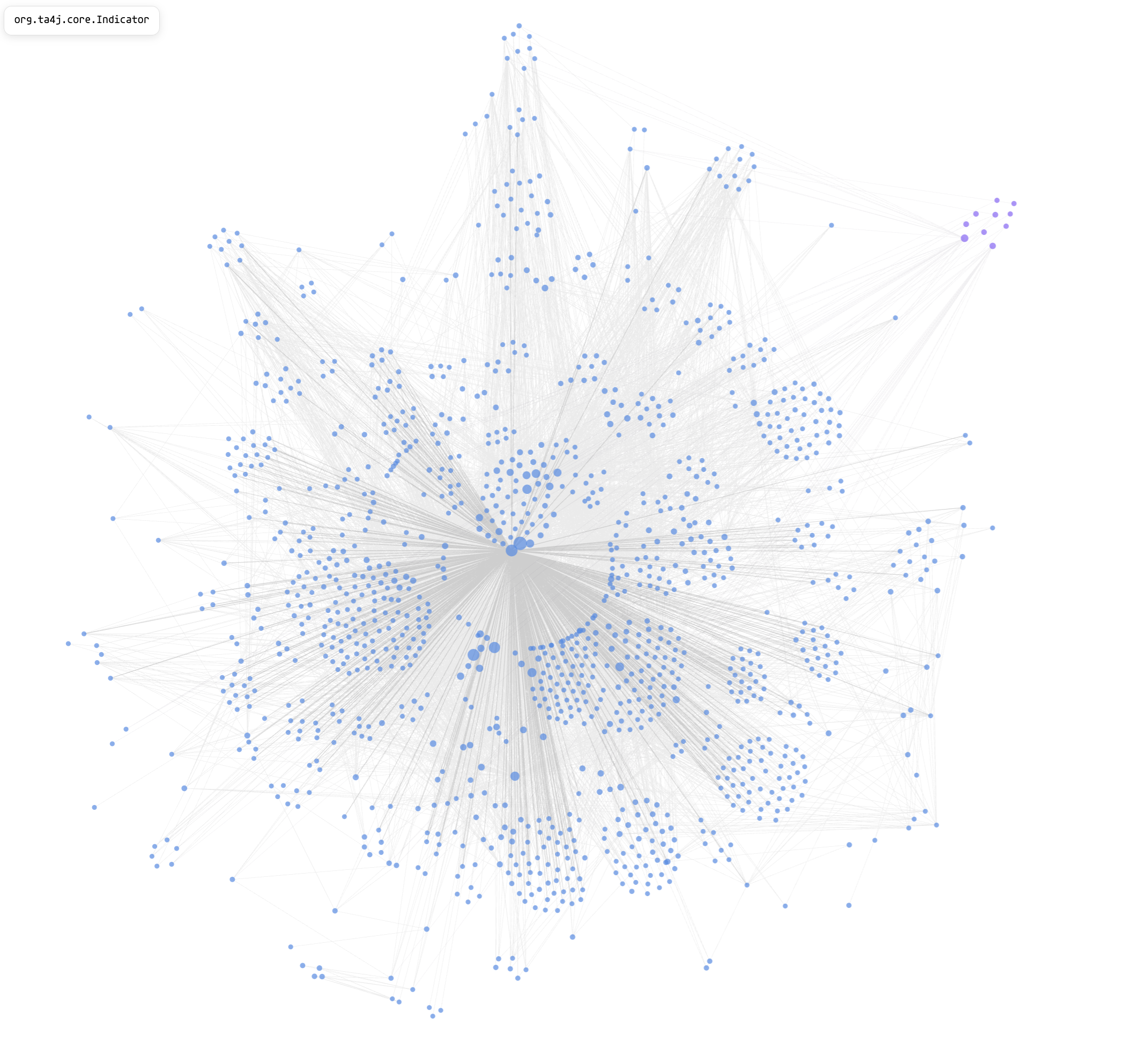
Indicator interface in ta4j.Changing Indicator in ta4j is not a one-file change, and the blast-radius view makes that obvious to the agent before anyone approves a diff. If it does proceed, the graph tells it not only which files are in play but which lines in those files are tied to the symbol — the difference between a confident refactor and a grep-driven fishing expedition.
Konstruct maps Go, TypeScript, Python, Java, Ruby, Rust, and a growing list of other languages into one connected view — including multi-repo projects — so “where is checkout handled?” is a query, not a twenty-minute archaeology session.
AI works best with clear definitions, accurate data, and direct instructions. The graph is the “accurate data” part for codebases too large to fit in a context window.
Safe ways to actually run things
The other half of the intern packet was safety: deploy to this environment, use these commands, don’t touch that production knob.
Agents need the same discipline. Konstruct’s Build Sandbox lets teams declare approved lint, test, and build targets in a .konstruct-build.yml manifest checked into git. Agents discover and run those targets by name — with prerequisite ordering (lint before test before build) — instead of improvising shell one-liners that might rm -rf their way to enlightenment.
For lighter-weight automation there’s sandboxed Starlark: small scripts agents can write and rerun through the workspace daemon with hard limits — no arbitrary shell, no network, no escaping the workspace. Useful for batch checks and glue logic you want to keep around, not one-off command roulette.
The point isn’t to nanny the model for sport. It’s so you can let it work without worrying it’ll take down your production website or delete every file on your laptop. Same reason Apollo gave interns a deployment path that didn’t require root on a production host — and why Konstruct wants agents on approved rails instead of improvised shell.
What exists today
Konstruct is real software you can try: local or remote workspaces, multi-repo projects, the Idea → Design → Plan → Build flow, code graph search, build sandboxing, git integration, and pluggable LLM providers so you’re not locked to one vendor.
There’s a free tier for getting started and Pro features (security review, AI-assisted debugging, deeper dependency tooling) if you want to go further.
I’m building it because I want the intern launch-plan experience for every agent session: relevant context, clear intent, explicit steps, and a safe place to prove the work before it touches anything important.
If that resonates, take a look at konstruct.dev — and if you have your own “launch plan” rituals that made onboarding work, I’d love to hear what I missed.